 GetQR
These are illustrative setups, not client stories: the businesses, names, numbers and links are fictional.
1. Booking page you can switch without reprinting
A client finishes a cut, loves it and wants the next appointment, but the front desk is busy and the phone keeps ringing. A code at the mirror and on the reception counter opens your online booking page, so they can pick a slot while you finish up with them.
Salons change booking systems more often than they change their signage. With a dynamic code, the printed sticker keeps working when you move to a new booking tool, open a second location or want to send people to a holiday schedule for a few weeks.
How to set it up on GetQR
- Type: Link, Mode: Dynamic
- Destination: your booking page, ideally opening on the services list
- Frame: Label below, text BOOK YOUR NEXT VISIT
- Logo: salon mark in the center, error correction H
- Export: SVG for vinyl stickers, PNG for the website and social posts
Where to put it
Put a small sticker on the lower corner of each station mirror, about 1.5 inches wide, and a larger card on the reception desk. Keep mirror stickers out of the glare of ring lights and away from spray zones so they don't get coated with product.
Tip: Clean mirror stickers with a dry cloth, not glass cleaner. Hairspray and cleaner build-up can blur the edges of the code over time.
2. Instagram portfolio clients can browse in the chair
Clients often struggle to describe the cut or color they want. Your Instagram grid already shows it. A code on the station or the service menu opens your portfolio, so a client can scroll, point to a photo and say that one.
It also turns a good result into a follow. A client who scans while their color processes is likely to check your profile again before the next appointment.
How to set it up on GetQR
- Type: Instagram, Mode: Dynamic
- Profile: the salon's account or the stylist's own portfolio
- Frame: Label below, text SEE OUR WORK
- Colors: dark code, frame in your brand color
- Export: PNG at 800 px for printed menus
Where to put it
Add it to the printed service menu, the waiting area and the back of appointment cards. For individual stations, a small acrylic stand next to the mirror works better than a sticker on the glass.
Tip: If each stylist has their own portfolio, make one code per stylist and put it at their station. Dynamic mode lets you swap the profile when someone joins or leaves.
3. Review request at checkout, offered to everyone
Most people pick a new salon or barber by reading reviews on a map listing. Happy clients rarely leave one unless someone asks, and asking in person feels awkward. A small card at checkout that opens your review form makes the ask simple and polite.
Keep it fair. Google's policies don't allow offering discounts or gifts for reviews, and asking only the clients you think are happy is not allowed either. Put the code where every client sees it and let them decide.
How to set it up on GetQR
- Type: Google Review, Mode: Dynamic
- Place: your business review link
- Frame: Label below, text TELL US HOW WE DID
- Colors: neutral code and frame so it reads as a question, not a sales pitch
- Export: PNG for a counter card, PDF for printed receipts
Where to put it
Place a card next to the card reader at checkout, about 2 inches wide, and print a smaller version on receipts or aftercare sheets. Avoid putting it at the station mirror, where clients might feel watched while scanning.
Tip: Never pair the code with an offer such as 10 percent off for a review. It breaks Google's rules and can get reviews removed.
4. Aftercare instructions that go home with the client
After a color, perm, lash lift or fresh fade, clients get a quick verbal rundown on aftercare and forget most of it by the time they reach the car. A code on the aftercare card opens a page with the full instructions for that service, readable at home when they actually need it.
Keep it to grooming and product advice, such as when to wash, which products to avoid and when to book a touch-up. Anything that sounds like a medical claim belongs with a doctor, not on a salon card.
How to set it up on GetQR
- Type: Link, Mode: Dynamic
- Destination: an aftercare page per service, for example color, lashes or beard
- Frame: Label above, text AFTERCARE TIPS
- Colors: match the code to the service card color, keeping strong contrast
- Export: PDF for printed cards at 1 inch
Where to put it
Print it on small aftercare cards handed over at checkout, on retail product shelf tags and on the inside of gift bags. One inch is enough on cards held in the hand.
Tip: Use one code per service, not one code for everything. A client with a lash lift should land on lash advice, not scroll past three hair-color sections.
5. WhatsApp rebooking from the appointment card
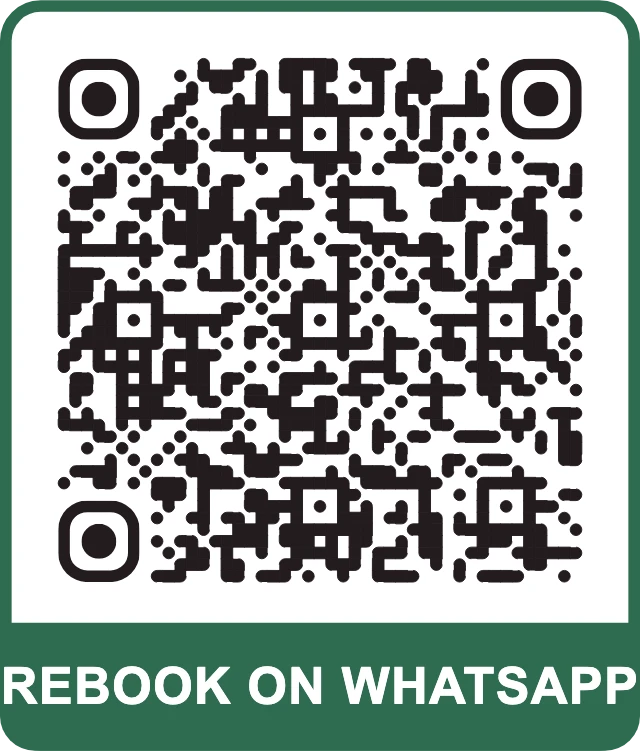
Plenty of regulars rebook the same way every time: a quick message to the salon. A WhatsApp code on the appointment card opens a chat with your business number and a prefilled message asking for the next slot, so all they add is a preferred day.
For barbershops with walk-in traffic, the same code works on the window to let people ask about the wait before they come in.
How to set it up on GetQR
- Type: WhatsApp, Mode: Dynamic
- Phone: the salon's business WhatsApp number in international format
- Message: Hi, I'd like to book my next appointment. My preferred day is
- Frame: Label below, text REBOOK ON WHATSAPP
- Export: PNG for appointment cards
Where to put it
Print it on the back of appointment reminder cards at about 0.8 inches and on a window decal at around 3 inches. On the window, place it at chest height and away from the door handle area.
Tip: Only use this if someone actually answers WhatsApp during opening hours. An unanswered chat does more harm than a missing code.
Getting the basics right for salons and barbershops
Salons are bright, reflective and busy, which is hard on QR codes. Mirrors, ring lights and glossy laminate all cause glare, so print codes on matte stock and test them at the actual station before ordering a batch. A dark code on a light background scans best, even if your brand palette leans toward pastels.
Give every code a label. Clients scan more readily when the frame says what happens, such as BOOK YOUR NEXT VISIT or SEE OUR WORK.
You can make every code in this guide on GetQR for free, with no sign-up and no watermark.
- Add a link to your price list on the booking page or menu card, so clients see prices before they book
- Point a dynamic code on gift bags and the window to your gift voucher page in the weeks before holidays
- Keep the salon's Wi-Fi code for guests on a separate guest network
- Test each code with two different phones before printing
Measuring what works with dynamic codes
Dynamic codes on GetQR show total scans, a per-day chart for the last 30 days, the country and the device type, and they never store IP addresses. Use separate codes for the mirror, the counter and the appointment card, and you can see which spot clients actually use.
Store each code's private management link in a safe place, such as your salon's shared notes. It can't be recovered if lost, and you need it to change where the code points.
Frequently asked questions
Can I change my booking link later without reprinting?
Yes, if you create it as a dynamic code. Open the management link and enter the new booking page; the printed sticker opens the new destination right away.
Can I give a discount to clients who leave a review?
No. Google's policies don't allow incentives for reviews, and you should ask all clients, not just the ones you expect to be happy.
What size should a QR code be on a mirror sticker?
About 1.5 inches works for a client sitting in the chair. Test it at the station under your normal lighting before printing a batch.
Can I put the salon logo in the middle of the code?
Yes. Upload a PNG, JPG, WebP or SVG up to 1 MB and set error correction to H so the code still scans with the logo in place.
Do the codes expire?
Static codes never expire, and dynamic codes have no scan limits. Keep the management link for dynamic codes so you can edit them later.