 GetQR
These are illustrative setups, not client stories: the businesses, names, numbers and links are fictional.
1. Table menu that you can update without reprinting
Picture a neighborhood café that changes its lunch specials every week and raises prices twice a year. Printed menus go out of date fast, and laminated ones get sticky. A QR code on each table that opens the menu page on your website lets guests read the current version on their phone, while you keep a few printed copies for anyone who prefers paper.
Make it a dynamic code. The printed code points to a short get-qr.org/r/ link, and you can switch the destination later, for example from the summer menu PDF to the autumn page, without touching the stickers on the tables.
How to set it up on GetQR
- Type: Link, Mode: Dynamic
- Destination: your menu page or PDF, e.g. https://example.com/menu
- Frame: Label below, text SEE THE MENU
- Error correction: Q, so a small scratch or crumb does not break the code
- Export: SVG for the print shop, PNG at 1000 px for a quick test print
- Save the private management link somewhere safe, such as your password manager
Where to put it
Print at least 3 x 3 cm (about 1.2 inches) on a table tent, coaster or a sticker in the corner of the table. Keep it flat and away from candles and reflections from overhead lights. Matte finishes scan better than glossy ones under warm restaurant lighting.
Tip: Check that the menu page loads fast on mobile data and is readable without zooming. A 15 MB PDF of the print menu is the most common reason guests give up and ask for a paper copy.
2. Guest Wi-Fi without spelling out the password
Staff at a busy café can spend a surprising part of the day repeating the Wi-Fi password, and guests still mistype it. A Wi-Fi QR code lets a guest point the camera, tap Join and connect. Nobody needs to read anything aloud.
Wi-Fi codes are static: the network name and password are stored inside the code itself. That means no link, no tracking and no expiry, but it also means you print a new code if you change the password.
How to set it up on GetQR
- Type: Wi-Fi
- Network name (SSID): your guest network, e.g. Example Cafe Guest
- Security: WPA, then enter the guest password
- Frame: Label below, text FREE WI-FI
- Dots: Rounded, color matched to your counter signage
Where to put it
Put it on the counter next to the till, on a small card at each table or on the wall near seating where people work on laptops. Eye height on a wall works well; keep it at least 4 cm wide.
Tip: Always use a separate guest network, never the network your card terminal or office computers are on. If you rotate the guest password monthly, keep the design file so reprinting takes two minutes.
3. Google review request on the bill folder
Many happy guests mean to leave a review and simply forget once they are out the door. The moment they get the bill is a natural time to ask, because they have just finished the meal. A Google review QR code opens the review box for your business directly, so there is no searching for your listing.
Keep the ask neutral and the same for everyone. Google's policies do not allow offering discounts or free items in exchange for reviews, or only asking guests you think will be positive.
How to set it up on GetQR
- Type: Google review, Mode: Dynamic
- Place: paste the review link for your business profile
- Frame: Ticket, text HOW WAS YOUR MEAL?
- Optional: add your logo in the center and raise error correction to H
- Export: PDF for printing on receipt inserts or bill folder stickers
Where to put it
A sticker inside the bill folder, a line on the printed receipt or a small card handed over with the check. Around 2.5 to 3 cm is enough because guests hold it close.
Tip: Because the code is dynamic, you can watch scans per day in the stats. If scans are near zero, the code is probably in the wrong spot or too small, not a sign that guests are unhappy.
4. Takeaway reorder through WhatsApp
Imagine a small pizzeria where most takeaway orders come by phone, and the line is busy at peak times. A WhatsApp code on the takeaway box opens a chat with your business number and a pre-filled first line, so a returning customer can type their order next week without hunting for the number.
This works best if someone actually watches the WhatsApp inbox during opening hours. If you only reply the next morning, say so in the pre-filled message or skip this idea.
How to set it up on GetQR
- Type: WhatsApp, Mode: Dynamic
- Phone: your business number in international format
- Message: Hi, I would like to place a takeaway order:
- Frame: Badge, text ORDER AGAIN
- Dots: Classy rounded, high contrast on a kraft-paper sticker
Where to put it
A sticker on the lid of pizza boxes, on takeaway bags or on the receipt stapled to the bag. On brown kraft paper, print the code on a white sticker so the contrast stays strong.
Tip: Dynamic mode protects you if the business number changes: update the destination once instead of throwing away a roll of printed stickers.
5. Instagram for daily specials and live music nights
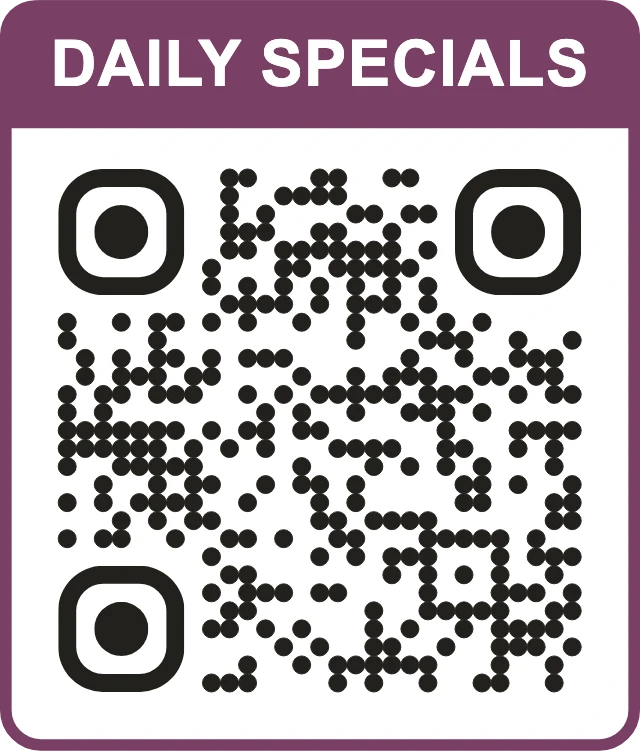
A café that posts the day's cakes, a bar that runs a monthly live music night, a bistro with a seasonal tasting menu: these places live on Instagram, but guests rarely search for the handle. A code that opens your profile turns a guest who liked the food into a follower who sees the next event.
Give people a reason to follow. A line like daily specials posted at 11 am is more convincing than follow us.
How to set it up on GetQR
- Type: Instagram, Mode: Dynamic
- Profile: your handle, e.g. example.cafe
- Frame: Label above, text DAILY SPECIALS
- Colors: dark code on a light card that matches your interior
- Export: PNG at 1200 px for the window, SVG for printed cards
Where to put it
Near the cake display, on a chalkboard-style sign by the entrance or on the back of a business card left with the bill. Inside a window it should be at least 6 cm wide so people can scan from the sidewalk.
Tip: Use one dynamic code per location if you want to compare them. The stats show scans per day, so you can see whether the window sign or the table card brings more followers.
Getting the basics right for restaurants
A restaurant is a hard place for QR codes: low light, candles, glossy menus, sauce and guests in a hurry. A few habits make every code above more reliable.
Test each printed code with at least two different phones, one older and one newer, at the actual table and at the actual light level of dinner service. A code that scans on your office desk can fail under a dim pendant lamp.
- Keep a dark code on a light background. Reversed or low-contrast designs look nice and fail more often.
- Leave a clear margin around the code; do not let a border or pattern touch it.
- Always say what the code does in the frame text. SEE THE MENU gets more scans than a bare square.
- Raise error correction to Q or H for codes on tables, boxes and anywhere they can get scratched or stained.
- Keep a printed menu and a spoken Wi-Fi password as a fallback for guests without a smartphone.
Measuring what works with dynamic codes
Dynamic codes on GetQR come with simple stats: total scans, scans per day for the last 30 days, by country and by device type. No IP addresses are stored, and there is no scan limit.
That is enough to answer practical questions. Do guests scan the menu more at lunch or dinner on weekends? Did moving the review sticker from the receipt to the bill folder change anything? Treat the numbers as a rough signal, not a report card, and change one thing at a time so you know what made the difference.
Keep the private management link for each dynamic code in a safe place. There is no account, so a lost link cannot be recovered; the same browser also remembers your links, but that is not a backup.
Frequently asked questions
Do QR codes for restaurant menus expire?
Static codes made on GetQR never expire because the destination is stored in the code itself. Dynamic codes keep working through the get-qr.org short link, and you can change where they point at any time with the management link.
Should my menu code be static or dynamic?
Dynamic, in most cases. Menus change, websites move and PDFs get renamed. A dynamic code lets you change the destination without reprinting table cards, and it gives you scan stats.
Is it safe to put the Wi-Fi password in a QR code?
It is as safe as writing the password on a sign, which is what the code replaces. Use a separate guest network so visitors never share a network with your payment terminal or office computers.
Can I offer a free coffee to guests who leave a Google review?
No. Google's policies do not allow incentives for reviews or asking only selected guests. Ask everyone in the same neutral way and let them decide.
How big should a QR code on a restaurant table be?
At least 3 by 3 cm (about 1.2 inches) for a code that is scanned from a seat. Codes in a window or on a wall that people scan from further away need to be larger, roughly 1 cm of width for every 10 cm of scanning distance.
Can I add my restaurant logo to the code?
Yes. Upload a PNG, JPG, WebP or SVG logo up to 1 MB and set error correction to H so the code still scans with the logo covering the center. Test it on a few phones before printing.