 GetQR
These are illustrative setups, not client stories: the businesses, names, numbers and links are fictional.
1. One code for the class timetable and your community
Picture a mid-sized studio that changes its class schedule every few weeks. The printed timetable by the front desk is always slightly out of date, and members keep asking which social account to follow for last-minute cancellations.
A multi-link page solves both problems with one code. Members scan it and see a short page with buttons for this week's timetable, the studio's Instagram, its TikTok and a class booking page. When the schedule changes, you edit the button, not the poster.
How to set it up on GetQR
- Type: Multi-link page (always dynamic)
- Title: Classes and community
- Buttons: This week's timetable, Book a class, Instagram, TikTok
- Frame: Label below, text CLASSES + COMMUNITY
- Save the private management link somewhere safe; it is the only way to edit the page
Where to put it
Front desk and the entrance to the studio room, at chest height. Print it at least 4 cm wide on matte stock or behind matte acrylic so overhead lights don't cause glare.
Tip: Put the button members use most, usually the timetable, at the top. People scan, tap the first thing that looks right and leave.
2. How-to video stickers on the machines
New members often stand next to a cable machine or leg press, unsure how to adjust the seat. Some give up, some guess, and staff can't be at every station.
A small sticker on each machine links to a short demonstration video you recorded yourself: seat height, starting position, common mistakes. Making it dynamic means you can swap in a better video later without peeling off stickers.
How to set it up on GetQR
- Type: YouTube, Mode: Dynamic
- Paste the link to the video for that specific machine
- Frame: Label below, text HOW TO USE
- Error correction: Q, so a scratched sticker still scans
- Export: SVG for the sticker printer
Where to put it
On the machine frame near the seat adjustment, at eye level when seated. Use laminated vinyl stickers that survive sweat and daily wipe-downs, about 3 to 4 cm wide.
Tip: Make one code per machine, not one code for a playlist. Members want the answer for the machine in front of them, not a list to scroll.
3. Membership signup from the front window
Plenty of people walk past a gym in the evening, glance in and keep walking. If the door is closed or the desk is busy, there is no easy next step for them.
A large code in the front window sends passers-by straight to your membership or free trial signup page. Because it is dynamic, you can point it to a seasonal offer page in January and back to the regular page later, and the stats show how many scans the window actually gets.
How to set it up on GetQR
- Type: Link, Mode: Dynamic
- URL: your membership or trial signup page
- Frame: Label below, text JOIN ONLINE
- Logo: your studio logo, Error correction: H
- Export: PDF for the print shop
Where to put it
Inside the front window at eye level, at least 15 to 20 cm wide so it scans from the sidewalk. Test it at night under your window lighting before printing a batch.
Tip: Window glass adds reflections. Use a white backing behind the code and avoid placing it where a streetlight shines directly on it.
4. Guest Wi-Fi without spelling the password
Members stream playlists and follow workout apps, and gym basements often have poor mobile signal. Reading out a long password across a noisy floor wastes staff time.
A Wi-Fi code connects phones in one scan. Use a separate guest network, never the one your front desk system or payment terminal runs on.
How to set it up on GetQR
- Type: Wi-Fi
- Network name: your guest network SSID, Security: WPA
- Frame: Label below, text FREE WI-FI
- Mode: Static (Wi-Fi codes store the details inside the code)
Where to put it
Changing room entrance, the stretching area and near the water station. Matte print at chest height, 4 to 5 cm wide.
Tip: If you change the guest password, you must reprint the code. Pick a password you are happy to keep for months.
5. Trainer contact card on the staff board
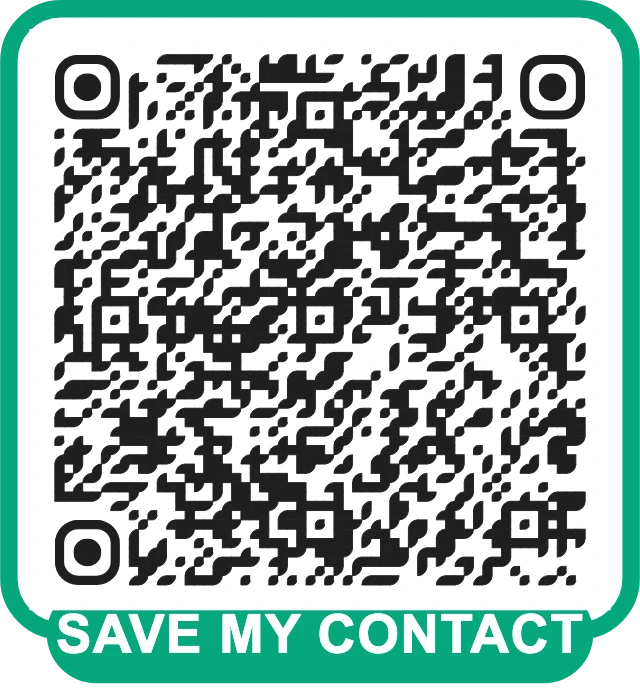
Members who want personal training often see a trainer's photo on the staff board but don't follow up, because asking at the desk feels awkward.
A contact card code under each trainer's photo saves their work phone, work email and booking page straight to the member's contacts. Use work contact details only, not a personal number.
How to set it up on GetQR
- Type: Contact card (vCard)
- Fill in first and last name, job title, work phone, work email and booking page
- Frame: Label below, text SAVE MY CONTACT
- Colors: match the trainer board
Where to put it
Under each trainer's photo on the staff board, 3 to 4 cm wide. Laminate the board so codes survive being touched.
Tip: vCard codes get dense quickly. Leave the address field empty unless it is needed, so the code stays easy to scan.
Getting the basics right for gyms
A gym is a tough place for printed codes: sweat, cleaning sprays, bright overhead lights and people scanning mid-workout. A few habits keep codes working for months.
Each code should do one job and say so in its frame text. A member holding a kettlebell won't scan a code that just says SCAN ME.
- Print on matte, laminated or vinyl material that tolerates disinfectant wipes.
- Keep a dark code on a light background; dark-on-dark brand colors often fail under gym lighting.
- Use error correction Q or H on stickers that get scratched or covered with a logo.
- Scan every code with two different phones before you print in bulk.
- Keep a list of where each code is placed, so you know what to update.
Measuring what works with dynamic codes
Dynamic codes on GetQR count total scans, scans per day for the last 30 days, scans by country and by device type. No IP addresses are stored, and there is no scan limit.
For a gym, the useful question is simple: which placements get used? If the window code gets scans every evening and the changing room code gets almost none, move the poster. If a machine video is never scanned, the machine may be self-explanatory, or the sticker may be in the wrong spot.
The management link for each dynamic code is private and can't be recovered if you lose it. Store the links in a shared password manager or a document only staff can open.
Frequently asked questions
Is GetQR really free for a gym?
Yes. GetQR is free, with no sign-up, no ads and no watermark. Static codes never expire, and dynamic codes have no scan limits.
Should I use static or dynamic codes in the gym?
Use dynamic codes for anything that changes, like timetables, signup offers and how-to videos. Use static codes for details that rarely change, such as Wi-Fi and trainer contact cards.
Can I edit a dynamic code after printing?
Yes. Open the private management link you received when you created it and change the destination. The printed code stays the same.
What size should a code on a machine be?
About 3 to 4 cm wide works for scanning from arm's length. Codes meant to be scanned from further away, like a window poster, need to be much larger.
Is it safe to share the gym Wi-Fi through a QR code?
Only share a guest network that is separate from your desk computers, cameras and payment terminals. Anyone who sees the code can join it.